
• 28/06 cập nhật đăng ký đăng nhập qua Google & Facebook

Hướng dẫn dùng Claude Code với Azure AI (Claude Opus 4.5)

TenHoshi

Administrator
Staff member
Trusted Uploader
Hiện tại bạn hoàn toàn có thể dùng Claude Code với endpoint Azure AI (dạng services.ai.azure.com/anthropic/v1/messages), không bắt buộc phải dùng API gốc của Anthropic.
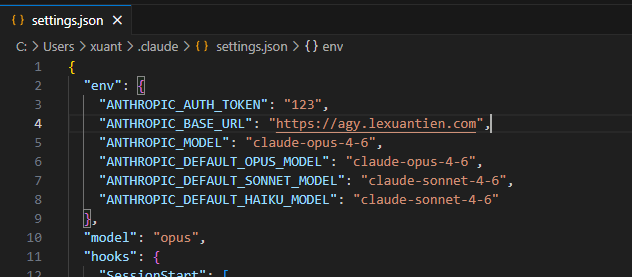
image.png

1. Chuẩn bị​

Bạn cần có:
  • Endpoint Azure AI (ví dụ):
    https://xxx.services.ai.azure.com/anthropic/v1/messages
  • API Key tương ứng
  • Model (ví dụ: claude-opus-4-5)

2. Cấu hình trong Claude Code​

Claude Code hỗ trợ config thông qua environment variables.

Mở file:

~/.claude/settings.json

Thêm cấu hình env:

{
"env": {
"ANTHROPIC_BASE_URL": "https://xxx.services.ai.azure.com",
"ANTHROPIC_API_KEY": "YOUR_AZURE_API_KEY"
}
}

Lưu ý:
  • BASE_URL trỏ về domain chính (không cần /v1/messages)
  • API key dùng key từ Azure, không phải Anthropic

3. Sử dụng nhiều endpoint (rất quan trọng)​

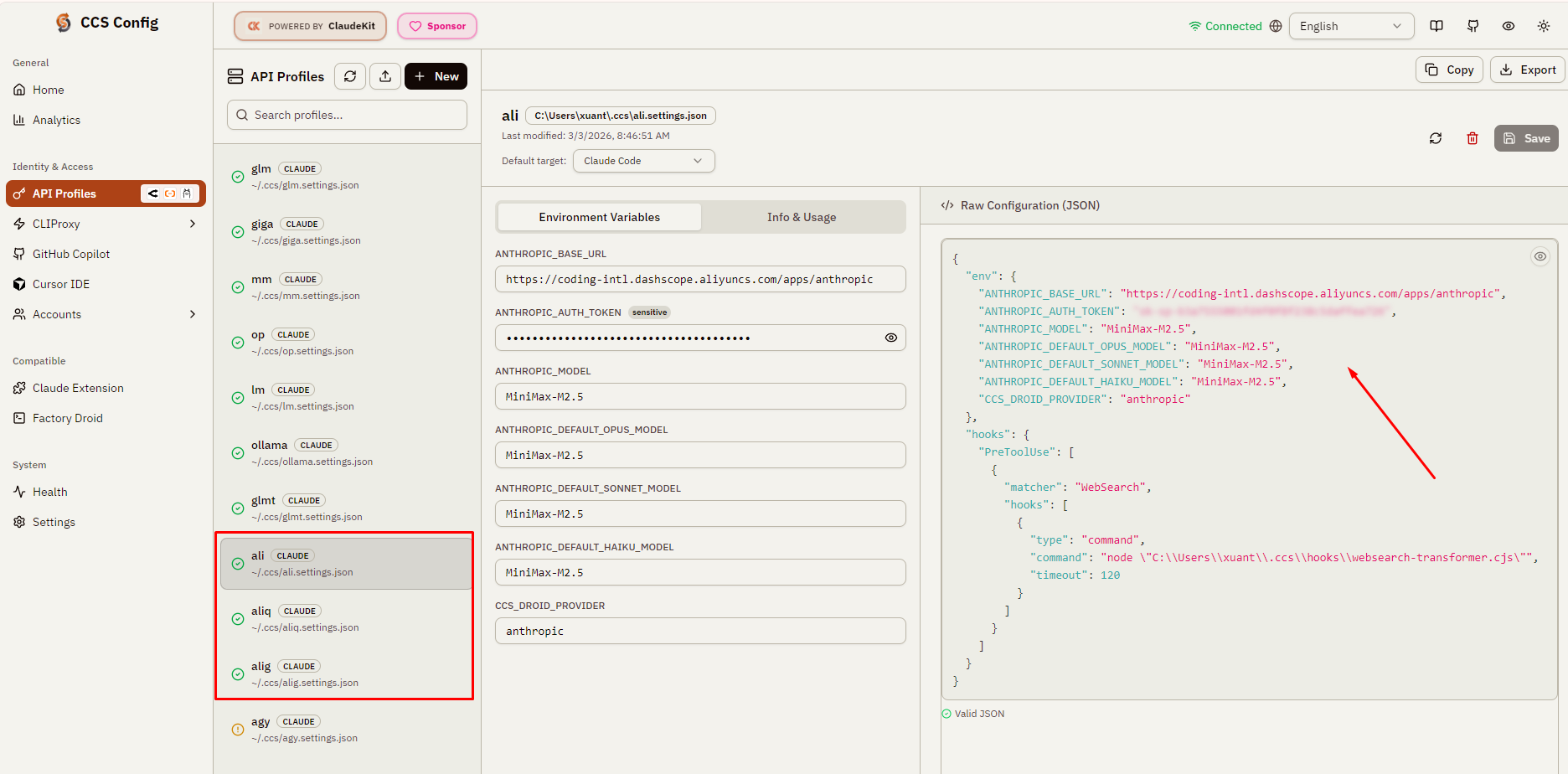
Nếu bạn dùng nhiều nguồn AI (Azure, Bedrock, Alibaba...), nên dùng ccs (Claude Code Switch) để quản lý profile.

imagef247615764b02eec.png


Ví dụ:

Tạo profile Azure​


ccs azure

Sau đó cấu hình env riêng cho profile này.

Tạo profile khác​


ccs bedrock
ccs ali

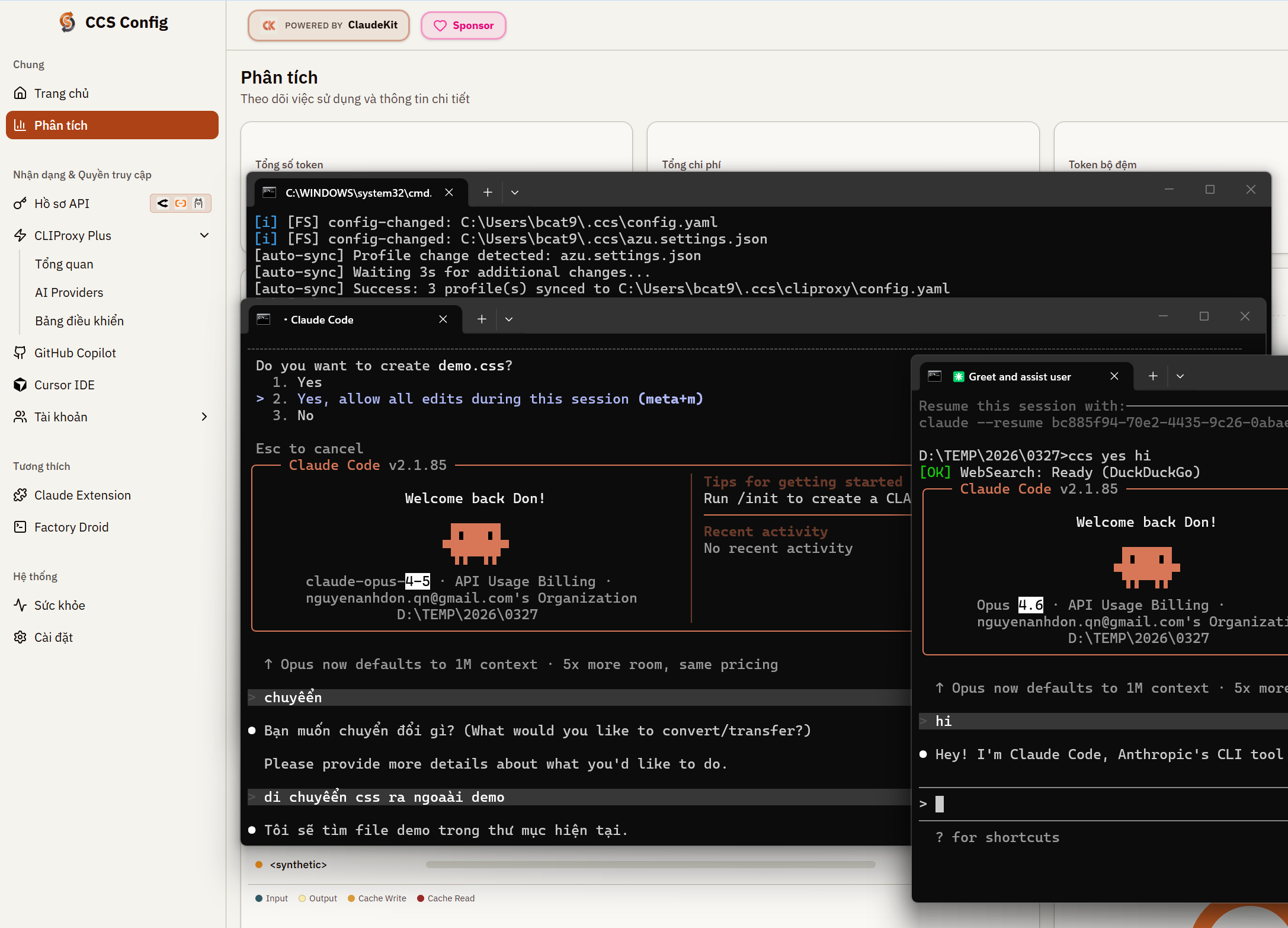
4. Cách dùng​

Khi cần chuyển môi trường:

ccs azure
claude-code

Hoặc:

ccs ali
claude-code

Claude Code sẽ tự dùng:
  • base URL
  • API key
    đã config theo profile

5. Ví dụ thực tế​

Một số mapping phổ biến:
  • Azure → Claude Opus → ccs azure
  • Amazon Bedrock → ccs bedrock
  • Alibaba Cloud:
    • Minimax → ccs ali
    • Qwen → ccs aliq
    • GLM → ccs alig

6. Lưu ý quan trọng​

  • Claude Code không giới hạn provider, miễn API tương thích Anthropic format
  • Azure endpoint hoạt động OK vì dùng chuẩn /anthropic/v1/messages
  • Nếu lỗi → thường do:
    • sai base URL
    • thiếu header auth
    • model name không đúng

Kết luận​

  • Claude Code có thể dùng với Azure AI Claude
  • Chỉ cần config BASE_URL + API_KEY
  • Nên dùng ccs để quản lý nhiều môi trường
Nguồn: Tien Le (ClaudeKit discord)
 

TenHoshi

Administrator
Staff member
Trusted Uploader

How to Use Claude Code with Azure AI (Claude Opus 4.5)​

You can use Claude Code with Azure AI endpoints (e.g. services.ai.azure.com/anthropic/v1/messages). It’s not limited to the native Anthropic API.

1. Requirements​

Make sure you have:
  • Azure AI endpoint, for example:
    https://xxx.services.ai.azure.com/anthropic/v1/messages

  • Azure API Key
  • Model name (e.g. claude-opus-4-5)

2. Configure Claude Code​

Claude Code supports custom endpoints via environment variables.

Open:

~/.claude/settings.json

Add:

Code:
{
"env": {
"ANTHROPIC_BASE_URL": "https://xxx.services.ai.azure.com",
"ANTHROPIC_API_KEY": "YOUR_AZURE_API_KEY"
}
}

Notes:
  • ANTHROPIC_BASE_URL should be the root domain (no /v1/messages)
  • Use your Azure API key (not Anthropic’s)

3. Using Multiple Providers (Recommended)​

If you work with multiple providers (Azure, Bedrock, Alibaba…), use ccs (Claude Code Switch) to manage profiles.

Create a profile for Azure:​

ccs azure

Then configure env variables for this profile.

Other profiles:​

ccs bedrock
ccs ali

4. How to Use​

Switch environment before running:

ccs azure
claude-code

Or:

ccs ali
claude-code

Claude Code will automatically use the configured:
  • base URL
  • API key

5. Example Setup​

Typical mappings:
  • Azure Claude → ccs azure
  • Amazon Bedrock → ccs bedrock
  • Alibaba Cloud:
    • Minimax → ccs ali
    • Qwen → ccs aliq
    • GLM → ccs alig

6. Important Notes​

  • Claude Code is provider-agnostic as long as the API follows Anthropic format
  • Azure works because it exposes /anthropic/v1/messages
  • Common issues:
    • Incorrect base URL
    • Invalid API key
    • Wrong model name

Conclusion​

  • Claude Code works with Azure AI Claude endpoints
  • Just configure BASE_URL + API_KEY
  • Use ccs for managing multiple environments
 

Guest Post 2022

Bài viết gần đây

Top